
Requirements change without notice
Listings suppressed or rejected—lost visibility, lost sales.
Run bulk listing updates and content changes safely at scale. Ensure product content governance and listing compliance with platform requirements. Execute marketplace content management without breaking things, and resolve errors before they cost you sales — across Amazon, Walmart, Shopify, eBay, Etsy, and beyond.
Connects via official Seller APIs and OAuth. We never store your marketplace passwords.
Connect your seller accounts without sharing passwords. Digital Shelf Manager uses official seller APIs from Amazon, Walmart, Shopify, Etsy, and eBay — authenticating through each platform's standard OAuth flow. You decide exactly which access scopes to grant, and you can revoke permissions anytime. The module reads and writes product content only: titles, bullets, descriptions, images, and attributes. Every sync attempt, every update, and every error is logged automatically, so your team always knows what changed and why.
Every e-commerce team knows the feeling: a marketplace updates its requirements overnight, and suddenly hundreds of listings need attention. Spreadsheets multiply. Emails pile up. Someone asks, "Which version is live on Walmart?"
Manual digital shelf management doesn't just slow you down—it creates compounding risks. Product data errors slip through. Listings get suppressed without warning. Bulk updates take days instead of minutes. And when something breaks, there's no clear trail to follow.
These aren't edge cases. They're the daily reality for teams trying to keep listings consistent across Amazon, Walmart, Shopify, and beyond—without a system designed for the job.
The question isn't whether you have these problems. It's how much they're costing you right now.
Listings suppressed or rejected—lost visibility, lost sales.
Inconsistent brand experience and duplicate work for every update.
Failed uploads, compliance flags, and manual re-work cycles.
Launches delayed, promotions missed, team stuck in firefighting mode.
Hours spent hunting issues across dashboards and email threads.
No way to trace who changed what—or roll back mistakes fast.
Digital Shelf Manager brings marketplace content operations into a single, closed-loop system. Instead of juggling disconnected tools and spreadsheets, you work within one unified content workflow where every action connects back to documented requirements and every outcome flows into a shared error log. The result: complete visibility from rule to execution to resolution.
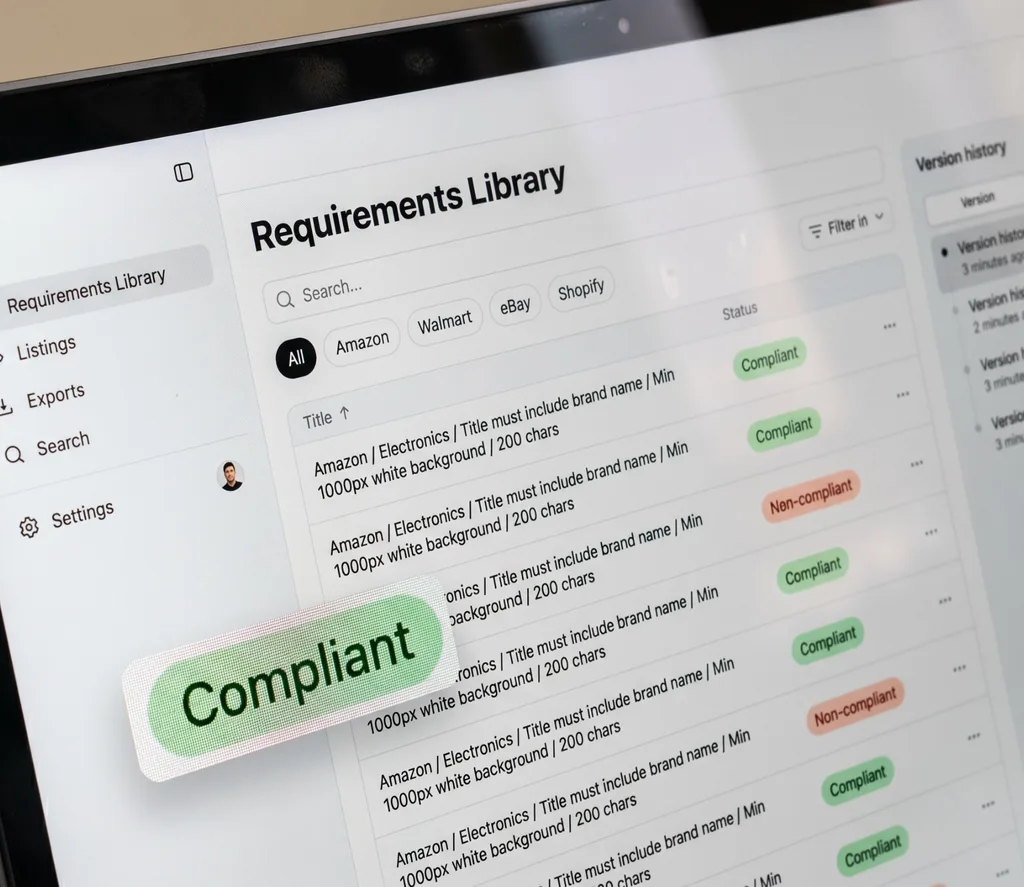
Your requirements library is the single source of truth for how content should look across every marketplace and category. Platform specs, attribute rules, image guidelines, and character limits live in one searchable repository — always current, always accessible. When a requirement changes, you see exactly which SKUs fall out of compliance before anything breaks in production.

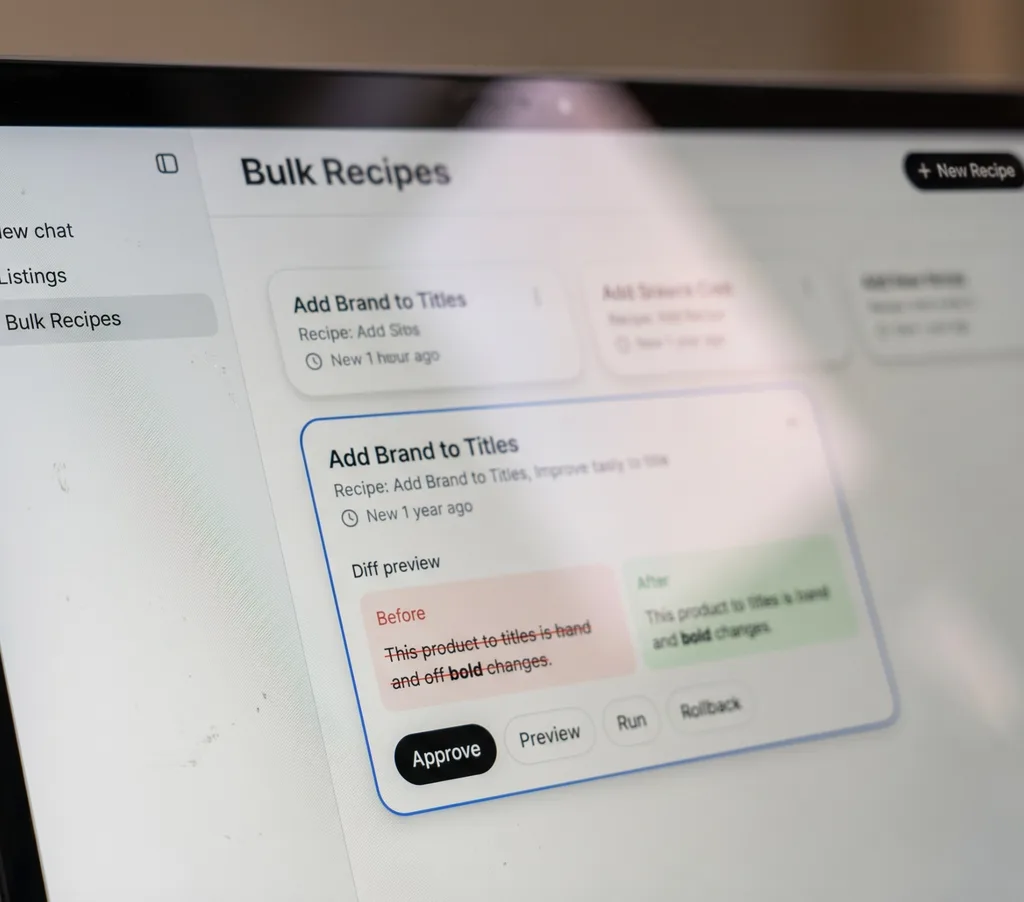
Bulk operations become predictable when you define them as repeatable recipes. Each recipe specifies what changes, which SKUs it affects, and what guardrails apply. Preview the diff, approve or adjust, then execute across thousands of listings in a controlled run. Ask in chat, then run as a controlled recipe with preview and rollback.

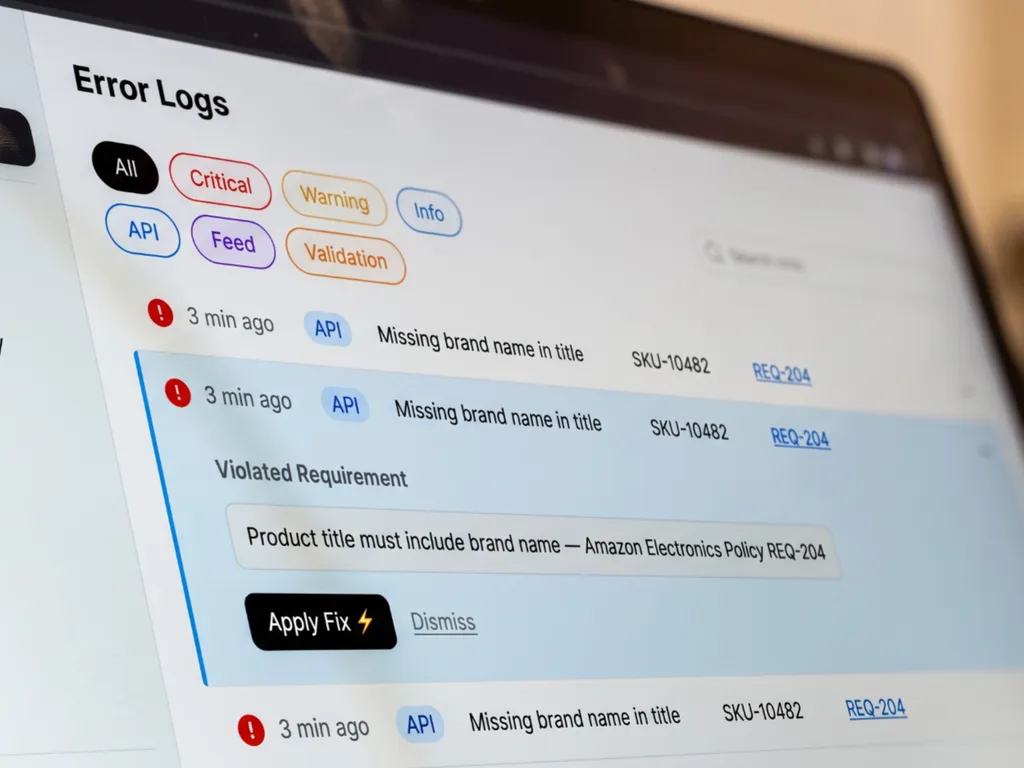
Error logs unify every rejection, warning, and sync failure from APIs, feeds, and internal validations into one inbox. Each entry links back to the requirement it violated and suggests a fix — often executable in a single click. No more hunting through email threads or seller dashboards to find out what broke and why.

Digital Shelf Manager fits into your existing tech stack—whether you use it alongside your current PIM or ERP as a validation layer, or connect directly to marketplace seller APIs when you need faster control. The workflow below shows how content moves from source to shelf, with validation, change management, and an audit trail at every step.
Link your product data sources and sales channels in minutes using official Seller APIs and secure OAuth flows.
Channel: Amazon US (Seller Central)
Status: Connected
SKUs synced: 4,218
Last pull: 2 minutes ago
Automatically check every listing against the latest marketplace requirements before anything goes live.
SKU: WH-BLENDER-PRO
Issue: Bullet 3 exceeds 256-character limit (current: 271)
Requirement: Amazon US → Kitchen → Bullet Point Max Length
Suggested fix: Trim or split content
Build or select a recipe for mass content changes, then preview the exact diff before committing.
Recipe: Add "BPA-Free" badge to titles
Affected SKUs: 312

Preview diff for SKU WH-BLENDER-PRO:
- ProBlend 2000 Professional Blender
+ ProBlend 2000 Professional Blender – BPA-Free
Push approved updates to each marketplace and monitor API responses in a single error inbox.
Sync job #8842 (Channel: Walmart US)
Submitted: 147 SKUs
Success: 144 | Errors: 3
Top error: "Item spec violation – missing 'countPerPack' attribute" (2 SKUs)
Every action is timestamped, attributed, and reversible—so you can investigate issues and restore previous states.
Action log entry #20247
User: maria.chen@brand.com
Action: Applied recipe "Holiday promo titles"
Target: 580 SKUs (Amazon US)
Rollback available: Yes
Use error patterns, validation trends, and sync history to refine your content operations over time.
Insight (last 30 days):
Most common validation failure: Image resolution below 1000×1000 px
Affected SKUs: 87
Recommended action: Create recipe to flag or auto-replace low-res images
Marketplace listing requirements change constantly — new required attributes, updated image specs, revised title length limits, shifting taxonomy rules. Keeping track across Amazon, Walmart, Shopify, and other channels means hunting through scattered documentation, decoding Item Spec PDFs, and hoping you catch updates before they trigger suppression.
The Requirements Library centralizes all of it: field-level rules, format constraints, attribute dependencies, and media specifications — organized by marketplace, category, and attribute type. Instead of guessing what "invalid value" means or why a listing failed validation, you get clear explanations, actionable parameters, and direct links to fixes.
Try "title length," "main image," "required attributes," or "GTIN"
The product title is the first thing shoppers see in search results. It must clearly identify the product, include the brand name, and highlight key attributes like size, color, or quantity. Titles that exceed the character limit or include prohibited characters will be truncated or rejected.
The main image is the first visual representation of your product. It must be a clear, professional photograph on a pure white background. It cannot contain text, logos, watermarks, or inset images.
Bullet points highlight the key features and benefits of your product. They should be clear, concise, and easy to read. Avoid promotional language or subjective claims.
Every requirement in the library powers real-time validation. When you import or edit listings, the system checks each field against the applicable rules—flagging missing attributes, invalid formats, policy violations, and spec mismatches before they cause rejections.
An aggregate score based on attribute completeness, format compliance, and media spec adherence — calculated against all applicable requirements for each listing's marketplace and category.
Why it matters: Titles that exceed marketplace limits get truncated in search results, cutting off important product details and reducing click-through rates.
Why it matters: Required attributes determine category placement and filter visibility. Missing values can suppress listings from search results entirely.
Why it matters: Non-compliant main images violate marketplace image standards and may trigger listing suppression or reduced visibility.
Marketplace requirements evolve without warning. A new required attribute appears, a taxonomy shifts, an image dimension changes. The Requirements Change Log captures every update the moment it's detected — showing what changed, which SKUs are affected, and what action to take. No more discovering spec changes through rejection emails.
Walmart updated Item Spec 5.0 to require country of origin for all products in the Grocery category. Listings missing this attribute will fail validation after date of update.
Action: Use the attribute enrichment recipe to populate missing values from your product data source.
Amazon's updated image requirements now enforce a higher resolution threshold for main product images across all categories. Images below 1600px may be flagged or suppressed.
Action: Re-export main images at higher resolution or use AI upscaling to meet the new threshold.
Walmart's API now rejects the legacy field name. Existing listings will continue to display, but new submissions and updates must use the current field name.
Action: Update field mappings in your feed configuration or apply the field migration recipe.
Get notified when library is available to try changing your listings for all your categories and marketplaces — delivered to your dashboard, email, or webhook.
Cramming every possible keyword into the title makes it unreadable and triggers Amazon's suppression filters. Titles should read as natural product descriptions.
Most categories cap titles at 200 characters; many have stricter limits (80–150). Titles exceeding the limit get suppressed from search. Mobile shoppers see only the first ~70–80 characters.
Amazon's style guide requires the brand name as the first element. Skipping it reduces brand recognition and hurts indexing for branded searches.
Full uppercase (BEST SELLER, PREMIUM QUALITY) violates Amazon's style guidelines. Use Title Case — capitalize the first letter of each major word; keep articles and conjunctions lowercase unless they start the title.
Amazon prohibits promotional language. Avoid: Best Seller, #1, Top Rated, Free Shipping, Sale, % Off, New, Guaranteed, Amazing, Perfect. These phrases trigger listing suppression.
Symbols like ! ? * $ ~ ^ < > { } and emojis are not allowed. They look spammy and block indexing. Hyphens, ampersands in brand names, commas, and periods are acceptable.
A title missing critical attributes loses visibility. Include where relevant: size/quantity, color, material, model or variant, and intended use or audience.
Amazon's A9 algorithm weights words at the beginning more heavily. Lead with: Brand + Primary Keyword + Key Attribute.
Amazon's algorithm indexes each unique word once. Repetition wastes characters and looks unprofessional.
Titles must describe the product, not the seller. Do not include seller name, warranty info, shipping details, or price.
Mentioning other brands for comparison (Like Nike, Alternative to Apple AirPods) violates Amazon's policies and can lead to listing removal or account suspension.
Use numerals, not words, for measurements. Write 6 not six, 32oz not thirty-two ounces. Keep units standard: oz, lb, kg, ml, L, cm, in, ft.
Each category has its own title template. Books: Title: Subtitle (Format) by Author. Clothing: Brand + Gender + Type + Style + Color + Size. Electronics: Brand + Model + Type + Key Feature.
Titles in English-speaking marketplaces must use standard English characters only. Accents, Cyrillic, Chinese, or Arabic characters cause listing suppression.
Claims in the title must match the product detail page exactly. Wrong features, sizes, or colors lead to returns, negative reviews, and account-health issues.
Turn complex catalog changes into standardized workflows with built-in preview, approval controls, and one-click rollback.
Updating product content across thousands of SKUs and multiple marketplaces creates risk. A single formatting error can cascade across your entire catalog. A hasty change can violate channel requirements you didn't know existed. Recipes eliminate that risk by packaging bulk content changes into repeatable operations with safeguards at every step. Select your SKUs, choose the transformation, preview every change before it touches your listings, then apply — or route to your team for approval first.
A recipe is a defined content operation with clear inputs, transformation logic, and guardrails. Instead of making ad-hoc edits and hoping nothing breaks, you run a tested workflow that shows exactly what will change, flags anything that might violate marketplace requirements, and lets you approve, adjust, or cancel before any data leaves your system.
Define which SKUs the recipe applies to—by marketplace, category, brand, attribute status, or custom filter. You see the exact count and can inspect any item before proceeding.
Pick from the recipe library or build a custom transformation. Each recipe targets specific fields and references the requirements that govern them, so your output stays compliant by design.
Review a side-by-side comparison of current versus proposed content. High-risk changes—like modifications to indexed fields or content that approaches character limits—are flagged for extra attention.
Execute immediately, schedule for a specific window, or send staged changes to a teammate for sign-off. Every action is logged, and rollback is always available.
Start with proven templates for the most common catalog operations, or construct your own workflows when your requirements go beyond the standard playbook. Either way, you get the same safeguards: scoped execution, preview, approval routing, and version history.
The recipe library includes ready-to-run workflows for tasks that content teams repeat constantly. Each template is mapped to the marketplace requirements it addresses, so you know exactly what compliance gaps it closes and what results to expect.
Restructures product titles to meet character limits, keyword placement rules, and formatting standards for Amazon, Walmart, or other connected channels. Flags titles that exceed limits or violate restricted-phrase policies before any change is applied.
Truncation by marketplace, suppressed listings due to prohibited terms, inconsistent capitalization
Scans your catalog against channel-specific attribute requirements, identifies gaps, and populates missing values from your PIM, mapped synonyms, or AI-suggested completions—subject to your review.
Listing suppression, search invisibility, failed feed ingestion
Applies consistent structure, length, and formatting to bullet points so your product detail pages look polished and meet channel guidelines. Supports brand voice templates and compliance phrase insertion.
Inconsistent tone, bullets that exceed character limits, missing required disclosures
Propagates approved images and videos from your primary source to every connected marketplace, automatically resizing and reformatting to meet each channel's specifications.
Missing images on secondary channels, rejected uploads due to resolution or format, outdated visuals after product refresh
When your workflow doesn't fit a template, the Recipe Builder lets you assemble operations step by step. Define input filters, transformation rules, field mappings, validation checks, and output destinations—then save the recipe for future use or share it with your team as a standard operating procedure.
For teams managing content across agencies and regions, recipes function as policy: a single approved workflow that everyone follows, ensuring your catalog meets brand and compliance standards regardless of who executes the update.
Select which SKUs enter the workflow. Filter by marketplace, category, attribute value, listing status, or error flag.
Specify what changes: text rewrites, attribute mapping, value normalization, media assignment, or field concatenation.
Attach validation checks—character limits, required phrases, prohibited terms, image specs—so non-compliant output is caught before preview.
Route results to staging for review, directly to connected channels, or to an export file for external systems.
Bulk content changes only feel safe when you can see exactly what's about to happen—and undo it if something goes wrong. Digital Shelf Manager treats every recipe run as a staged commit: nothing reaches your marketplace listings until you've reviewed the diff and explicitly approved the push.
See current content next to proposed content for every affected SKU and field. Additions, deletions, and modifications are highlighted so you can scan thousands of changes quickly and spot anything unexpected. On mobile, toggle between 'Before' and 'After' views without losing your place.
Changes that affect indexed fields, approach character limits, or touch channels with strict validation rules are marked for closer inspection. You decide whether to proceed, adjust, or exclude specific items from the batch.
Not ready to apply immediately? Stage changes and send a review link to a colleague or manager. They can approve, request edits, or reject—keeping a clear record of who signed off and when.
Every published change is versioned. If you need to reverse a bulk update, select the previous version and republish. Rollback works by pushing the prior content to the marketplace API, so availability depends on channel-specific update windows, but the action itself takes seconds.
Every preview, approval, publish, and rollback is logged with timestamps, user IDs, and affected SKUs. When questions arise—internally or from a marketplace—you have a complete history of what changed and why.


Some content operations need to run at specific times—before a product launch, after inventory refresh, or during low-traffic windows. Others are low-risk enough to run continuously without manual approval. Digital Shelf Manager gives you scheduling controls, execution queues, and an autopilot mode bounded by rules you define.
Set recipes to run at a specific date and time, or on a recurring schedule. Ideal for coordinating content updates with promotional calendars, inventory syncs, or marketplace indexing cycles.
Monitor all pending, running, and completed recipe jobs in a single view. See which SKUs are in progress, which have finished, and which encountered errors—along with direct links to resolve issues.
For low-risk, high-frequency operations, enable autopilot so approved recipe types execute automatically when triggered by events like new SKU onboarding, attribute updates from your PIM, or compliance errors detected by validation rules. Guardrails ensure autopilot stays within safe boundaries.
"Auto-apply fixes that resolve compliance errors and do not change core product claims."
Autopilot is optional and off by default. You control which recipes qualify, which channels allow automated updates, and what thresholds trigger human review.
When you manage content across Amazon, Walmart, and other marketplaces, errors come from everywhere: API rejections, feed validation failures, suppressed listings, sync conflicts between channels, and compliance violations flagged after publish. Chasing these problems across separate dashboards wastes hours and lets issues compound. Digital Shelf Manager consolidates every error into a single, searchable log — so your team sees what broke, why it broke, and exactly how to fix it without switching tools or decoding cryptic error codes.
Each error entry follows a consistent structure: what happened, why it happened, what to do now, and how to prevent it next time. That last element links directly to the requirement or recipe that stops the problem from recurring. Instead of firefighting the same issues week after week, you build durable fixes into your workflow. The result: faster resolution times, fewer suppressed listings, and a content operation that learns from every mistake.
Marketplace errors originate from different sources—API write rejections, feed validation failures, post-publish compliance flags, and sync conflicts between channels—but you shouldn't need four dashboards to find them. Digital Shelf Manager routes every error type into a single inbox, tagged by channel, severity, and status. Filter by Amazon, Walmart, or Shopify. Switch between critical-only and all-issues views. Assign errors to team members and track resolution through completion.
Each error links to the affected SKU or SKU group and to the action that can resolve it, whether that's a manual edit, a recipe, or a requirement adjustment. Human-readable headlines replace cryptic error codes: you see "Title exceeds character limit" instead of "TITLE_CHAR_001." Notifications reach your team inside the product, via email digest, or through integrations with the tools you already use—so nothing slips through the cracks during peak seasons or product launches.
ASIN B09XYZ1234: Attribute validation returned error...
SKU WM-4421: Image file is 800x800 pixels. Required...
ASIN B09XYZ1234: Attribute validation returned error...
SKU WM-4421: Image file is 800x800 pixels. Required...
Every error in the log comes with an explanation, not just a code. The Root Cause panel shows exactly why the marketplace rejected your content—"Color value must match allowed taxonomy; your value 'Navy Blue' is outside the allowed set for this category"—and links to the specific requirement that defines the constraint. No guessing, no cross-referencing documentation, no Slack threads asking what went wrong.
Next to the diagnosis, the Recommended Fix panel previews the exact change that will resolve the issue. Review the before-and-after diff, then apply with a single click. For recurring problems, convert the fix into a reusable recipe that runs automatically on future imports. The system shows a confidence indicator when it suggests fixes, and flags cases where manual review is required—so automation stays predictable and you stay in control.
Main image rejected on Walmart for SKU WM-4421. Upload returned error code IMG_RES_001.
Image file is 800×800 pixels. Walmart requires minimum 2000×2000 pixels for main product images in the Home & Kitchen category.
Replace with a higher-resolution image meeting the 2000×2000 minimum, then resubmit through the content sync.
Enable the 'Walmart Image Resolution' validation rule to block uploads that fail the minimum threshold before they reach the API.
Listing update failed on Amazon for ASIN B09XYZ1234. Attribute validation returned error CHAR_LIMIT_EXCEEDED.
Bullet point 3 contains 542 characters. Amazon allows a maximum of 500 characters per bullet in this category.
Edit bullet point 3 to 500 characters or fewer, then resubmit. Use the inline editor to see real-time character count.
Add the 'Amazon Bullet Length' validation to your content workflow. This rule flags violations before publish and can auto-truncate using the Bullet Trimmer recipe.
SKU AMZ-7890 marked 'Suppressed' on Amazon Seller Central. Status changed from Active to Suppressed at 2:14 PM EST.
The 'Material' attribute is now required for the Furniture category. This SKU has no value in the Material field.
Populate the Material attribute with a value from Amazon's allowed taxonomy, then request listing reinstatement.
Subscribe to the Material attribute requirement in the Change Log. Use the 'Fill Missing Attributes' recipe to batch-update SKUs missing required fields.
When a listing changes unexpectedly or an error reappears after a fix, you need answers fast. The audit trail logs every action—content edits, recipe runs, rollbacks, approvals, and sync events—with timestamps, user attribution, and links to the exact diff. Filter by user to review agency work. Filter by SKU to trace a product's content history. Filter by event type to see all recipe executions or all manual overrides.
Each event links to its source: the recipe that triggered a bulk update, the approval workflow that authorized a change, or the rollback that restored a previous version. Export the log for compliance reviews or internal reporting. Whether you're investigating why a listing dropped in search rank yesterday or confirming that only approved changes reached production, the audit trail gives you the evidence in seconds—not hours of digging through email threads and spreadsheets.
Scale your catalog operations without sacrificing control or accountability.
Enterprise teams need more than permission checkboxes. Digital Shelf Manager delivers policy-driven operations through role-based access control (RBAC), structured approval workflows, and granular scoping by channel, brand, or SKU group. Every change is traceable, every publish is authorized, and every team member works within clearly defined boundaries.
Creates and modifies listing content. Can draft recipe changes and submit for review. Cannot publish directly to live channels. Access can be scoped to specific brands, categories, or marketplaces.
Draft recipes, edit staging content, view requirements, request approval.
Reviews and approves recipe runs before execution. Can reject, request revisions, or escalate. Sees diff previews and validation results. Publishes approved changes to staging or production environments.
Approve or reject changes, publish to staging, trigger sync to channels, view full audit trail.
Controls what gets published to specific marketplaces. Sets channel-level policies, defines which recipes can run automatically, and manages rollback authority. Ideal for regional leads or marketplace specialists.
Set channel policies, authorize auto-publish rules, execute rollback, manage channel-specific access.
Configures roles, assigns users, and defines governance policies across the organization. Manages integrations, API credentials, and system-wide change management settings.
Create roles, assign permissions, configure policies, access all logs and audit history.
Define what each role can do—and where. Scope permissions by marketplace, brand, product category, or custom SKU groups. Set approval thresholds so low-risk changes flow automatically while high-impact edits require sign-off.
Auto-approve recipe runs affecting fewer than 50 SKUs on Walmart.
Require manager approval for any title or image change on Amazon US.
Restrict Brand X edits to the EMEA content team only.
Every content change moves through a structured workflow. Edits land in staging first, where validators check compliance against channel requirements. Reviewers see a clear diff. Only after approval does content sync to live listings.
Draft created in staging environment.
Automated validation against marketplace requirements.
Manager reviews diff and approves or requests changes.
Approved content publishes to selected channels.
All actions logged for audit and compliance review.
Product content governance requires proof. Digital Shelf Manager logs every edit, approval, rejection, publish, and rollback—with timestamps, user IDs, and affected SKUs. When leadership asks who changed what and when, you have the answer in seconds.
See how approval workflows and RBAC keep your content operations scalable, secure, and audit-ready.
Whether you manage listings, run content operations, own brand standards, or serve multiple clients, 24.online adapts to your workflow—not the other way around.
Your job is getting products live, keeping them compliant, and responding fast when requirements change. 24.online gives you a single view of every spec, validation, and error across Amazon, Walmart, Target, and every channel you manage—so you spend less time hunting through retailer portals and more time actually publishing.
What you can do:
"Marketplace managers using 24.online cut listing approval time by days and reduce rejected submissions by over 60%."

Marketplace content operations means managing thousands of SKUs, coordinating across teams, and enforcing standards without becoming a bottleneck. 24.online gives you recipes for repeatable bulk changes, validation gates that enforce quality automatically, and full audit trails so you always know what changed and why.
What you can do:
"Content ops teams process catalog-wide updates 4x faster while maintaining higher compliance rates than manual review ever achieved."

Brand integrity depends on consistent product content everywhere your products appear. 24.online lets you define your standards once, then automatically validates every listing against both retailer requirements and your own brand guidelines—so your messaging stays on-brand whether it's on Amazon, Walmart, or a regional grocer.
What you can do:
"CPG brands achieve 90%+ content compliance scores and reduce time-to-shelf for new products by weeks."

When you manage content for multiple brands across multiple marketplaces, transparency and accountability aren't optional—they're how you keep clients and scale your business. 24.online gives you client-separated workspaces, complete action history, and exportable audit logs so you can prove exactly what you did, when, and what results it delivered.
What you can do:
"Agencies using 24.online manage 3x more SKUs per team member while delivering measurable, auditable results to every client."

Digital Shelf Manager transforms how teams handle requirements, bulk operations, and issue resolution. Below are the types of improvements our customers see—and the artifacts that prove them.
The following represent example outcomes based on typical deployment scenarios. Your results will depend on catalog size, channel mix, and current process maturity. We encourage you to request a tailored estimate based on your actual data.
Bulk updates that previously required days of manual work and QA cycles can be executed, validated, and pushed to channels in hours. Recipes automate repetitive transformations; built-in compliance checks eliminate rework loops.
Validation against current platform requirements catches issues before submission. Unified error logs surface root causes immediately, reducing the back-and-forth between content teams and channel specialists.
A living requirements library means your catalog is checked against up-to-date rules—not last quarter's specs. Change logs show exactly which SKUs need attention when platforms update their standards.
Centralized error logs with one-click fix suggestions cut the time between detecting a suppressed listing and restoring it. Full audit trails let you trace what changed, when, and why.
The following illustrates a typical transformation when a mid-size brand adopts Digital Shelf Manager for multi-channel content operations.
A consumer electronics brand managed product content across Amazon, Walmart, and their own Shopify storefront using spreadsheets, email threads, and manual copy-paste workflows. Each channel had different attribute requirements, image specs, and character limits. Errors were discovered only after submission—sometimes days later—leading to suppressed listings, missed sales windows, and reactive firefighting by the content team.
With Digital Shelf Manager, the team mapped all channel requirements into a single library and built recipes for common update patterns: new product launches, seasonal attribute refreshes, and promotional copy swaps. Pre-submission validation flagged compliance gaps before anything reached the API. A unified error inbox replaced scattered email alerts, and one-click fixes tied each issue directly to the relevant requirement and recipe. Content specialists shifted from chasing errors to planning improvements.
The team reduced their average time from content approval to live listing from several days to under one business day for standard catalog updates. Error-related listing suppressions dropped significantly, and new hires ramped up faster because workflows were documented in recipes rather than tribal knowledge.


Interactive Before / After Diff
Rather than relying solely on aggregate metrics, Digital Shelf Manager gives you auditable artifacts that show exactly what changed and why.
Export a full breakdown of platform rules applicable to your categories, with pass/fail status for each SKU.

Review every bulk operation: what was changed, which validation rules were applied, and who approved the update.

Trace any listing issue from initial detection through root-cause identification to final fix, with timestamps and user attribution.

Compare any two versions of a listing side by side, highlighting exactly which fields changed and which requirements triggered the update.

"[Space reserved for verified customer testimonial. If you are a current customer willing to share your experience, contact us to be featured.]"
Want to see projected results for your catalog? Share your channel mix and catalog size, and we'll provide a tailored ROI estimate based on comparable deployments.
A hands-on tour through requirements, bulk operations, and error resolution — built on sample data so you can explore freely.
This interactive demo runs on synthetic catalog data. Nothing you do here affects real listings. Walk through the full content operations workflow at your own pace: search platform requirements, build a bulk update recipe, preview changes, and resolve an error from the unified log.
In three minutes, you'll find a requirement by marketplace and category, assemble a recipe for bulk title updates, preview the diff before publishing, and apply a one-click fix to a flagged listing error.

We begin in the Requirements Library. Type 'Amazon' and select 'Home & Kitchen' to filter. The panel displays character limits for titles, required bullet count, and image dimension rules. Each requirement links to the official source, so you always know where the rule comes from. This is how digital shelf manager demo workflows start—grounded in verified platform specs.

Next, open Recipe Builder. Choose the 'Shorten Titles' template or create a custom operation. Define the scope: all SKUs in the filtered category with titles exceeding 200 characters. The content operations workflow lets you set transformation logic—trim to 195 characters at the nearest word boundary—and attach a validation rule that re-checks length before commit.


Before anything touches your live catalog, the bulk update preview screen shows a side-by-side diff. Red highlights deletions; green highlights additions. Review ten, fifty, or all affected SKUs. Approve individually or batch-approve with one click. If something looks off, adjust the recipe and regenerate the preview instantly.
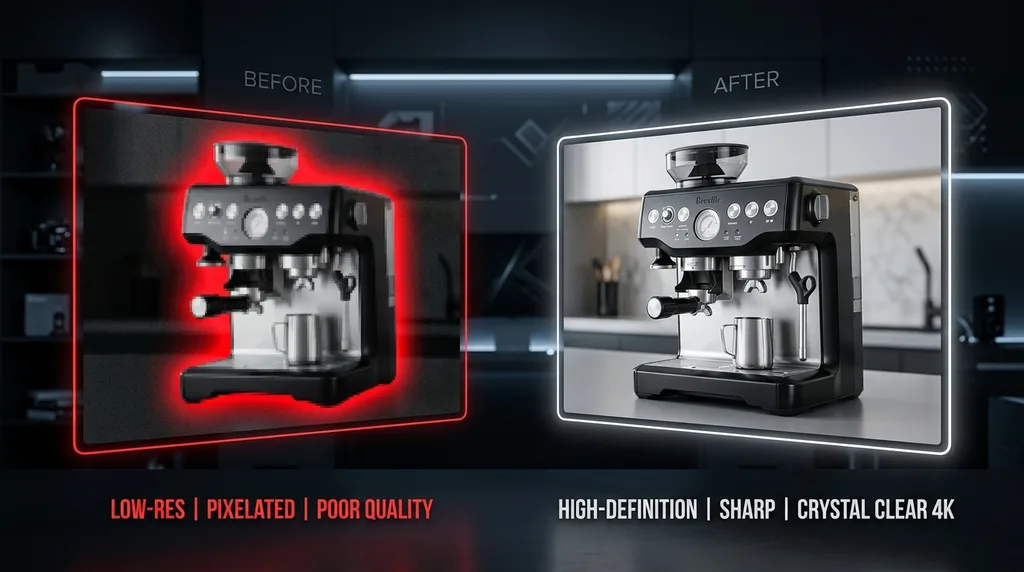
Switch to the Error Log. A red badge indicates three new issues. Click the first: 'Image resolution below Walmart minimum.' The log shows root cause, affected SKU, and the exact requirement it violates. Hit 'Fix' to open the recommended recipe—upscale and re-upload—or link to your DAM for a replacement asset. Error log resolution ties directly back to requirements so every fix is traceable.

Once the fix executes, the error clears from the inbox and moves to the History tab with a timestamp, user ID, and before/after snapshot. Audit-ready documentation, zero guesswork.
We begin in the Requirements Library. Type 'Amazon' and select 'Home & Kitchen' to filter. The panel displays character limits for titles, required bullet count, and image dimension rules. Each requirement links to the official source, so you always know where the rule comes from. This is how digital shelf manager demo workflows start—grounded in verified platform specs.
Next, open Recipe Builder. Choose the 'Shorten Titles' template or create a custom operation. Define the scope: all SKUs in the filtered category with titles exceeding 200 characters. The content operations workflow lets you set transformation logic—trim to 195 characters at the nearest word boundary—and attach a validation rule that re-checks length before commit.
Before anything touches your live catalog, the bulk update preview screen shows a side-by-side diff. Red highlights deletions; green highlights additions. Review ten, fifty, or all affected SKUs. Approve individually or batch-approve with one click. If something looks off, adjust the recipe and regenerate the preview instantly.
Switch to the Error Log. A red badge indicates three new issues. Click the first: 'Image resolution below Walmart minimum.' The log shows root cause, affected SKU, and the exact requirement it violates. Hit 'Fix' to open the recommended recipe—upscale and re-upload—or link to your DAM for a replacement asset. Error log resolution ties directly back to requirements so every fix is traceable.
Once the fix executes, the error clears from the inbox and moves to the History tab with a timestamp, user ID, and before/after snapshot. Audit-ready documentation, zero guesswork.
That's the full loop: requirement lookup, recipe assembly, change preview, and error resolution—all in one workspace.
Everything you need to know about how 24.online manages your digital shelf, bulk updates, and content compliance across marketplaces.
No matching questions found.
Digital Shelf Manager connects to each marketplace through official Seller APIs and applies your requirements library to every listing before publication. When you update a title, image, or attribute in your source catalog, the platform validates the content against channel-specific rules and pushes approved changes to Amazon, Walmart, Shopify, and other connected channels in a single operation. You define the governance rules once; the system enforces them everywhere.
Yes. Every bulk update goes through a preview stage where you see a side-by-side diff of current versus proposed content. Changes require explicit approval—either manual sign-off or automated approval within guardrails you configure. If something goes wrong after publication, you can roll back to any previous version directly from the action history.
Marketplace requirements vary not just by channel but by product category. A listing in Electronics on Amazon has different mandatory attributes, character limits, and image specs than a listing in Home & Kitchen. Digital Shelf Manager stores these category-level rules in a searchable library and automatically applies the correct ruleset based on where each SKU is mapped.
The platform captures three types of errors: API rejections returned by marketplaces during sync, feed validation failures caught before submission, and compliance gaps flagged by your internal requirements. Errors surface in a unified inbox within minutes of detection, grouped by root cause so you can fix dozens of listings in one action instead of hunting through separate dashboards.
You control approval workflows through role-based permissions. Content editors can draft and preview changes; category managers can approve within their scope; admins can publish directly or set autopilot rules that allow certain low-risk updates to go live without manual review.
No. Digital Shelf Manager connects to marketplaces exclusively through OAuth tokens or official API credentials issued by the platform. We never request or store your seller account passwords. Tokens are encrypted at rest and can be revoked from your marketplace dashboard at any time.
When Walmart, Amazon, or another marketplace updates its item spec or category taxonomy, we update our requirements library and flag affected SKUs in your catalog. You receive a changelog entry showing exactly what changed—new required attributes, deprecated fields, updated character limits—and which of your listings need attention. From there, you can create a recipe to remediate impacted items in bulk.
Absolutely. Any correction you make—whether it's reformatting bullet points, filling missing attributes, or resizing images—can be saved as a recipe and applied to similar listings later. Recipes live in a shared catalog your team can browse, clone, and customize. This turns one-time fixes into repeatable, auditable operations that scale across thousands of SKUs.
Publication speed depends on each marketplace's API and processing queue. For most channels, approved content syncs within minutes. Digital Shelf Manager shows real-time sync status per listing and alerts you immediately if a marketplace rejects an update. You can also schedule changes to publish at a specific time.
Digital Shelf Manager integrates with your existing product information management and digital asset management systems as upstream data sources. You continue managing master content where you always have; we pull validated data, apply marketplace-specific transformations, and handle the last mile to each channel.
Connect your channels and let Digital Shelf Manager handle the complexity of marketplace content operations — so your team can focus on growth, not firefighting.
We've received your request and will reach out within one business day to schedule your personalized walkthrough.
Automate listing optimization and catalog syncing across Amazon, Walmart, and Shopify. Scale e-commerce operations with an AI Seller without adding headcount.
Maximize marketplace conversions with an AI eCommerce Director. Automate catalog audits, generate high-converting listings, and sync updates with full control.
Scale your client portfolio without scaling your team. Automate multi-account Amazon listing optimization and white-label reporting using our AI Seller.
Connect your PIM/PXM stack to Amazon, Walmart, and Shopify via official APIs. Securely syndicate product data using 24.online's built-in governance controls.
Find your perfect e-commerce tech stack. Choose from 16 AI-powered solutions preconfigured to instantly fit your unique business model and accelerate sales.
Automate your entire product catalog with 24.online. Generate branded AI copy, photos, and SEO for Shopify, WooCommerce, and Magento with no extra hires.